2026-05-06
Juanyun AC Unit Control Board卷云外机板 V2.0 / V2.1 开发笔记
A board-splitting note for the Juanyun AC unit control platform, following the move from a crowded interface set toward main, power, and interaction boards.卷云外机控制平台的拆板笔记,记录一组拥挤接口怎样逐步拆到主控板、分电板和交互板。
Starting Point起点
外机板一开始最明显的感觉就是接口太挤。24 V 输入、12 V 风扇、压缩机驱动板、电子膨胀阀、NTC、DHT、压力变送器、OLED、编码器、Wi-Fi 预留,全都塞进“外机板”这个概念里。真正要先想清楚的是每个接口属于哪条链路,而不是先把连接器画满。
The AC unit board line was crowded from the beginning. The same board concept had to cover 24 V input, 12 V fan power, the compressor driver board, electronic expansion valve, NTC, DHT, pressure transmitter, OLED, encoder, and reserved Wi-Fi. The first useful question was where each interface belonged, before filling a PCB with connectors.
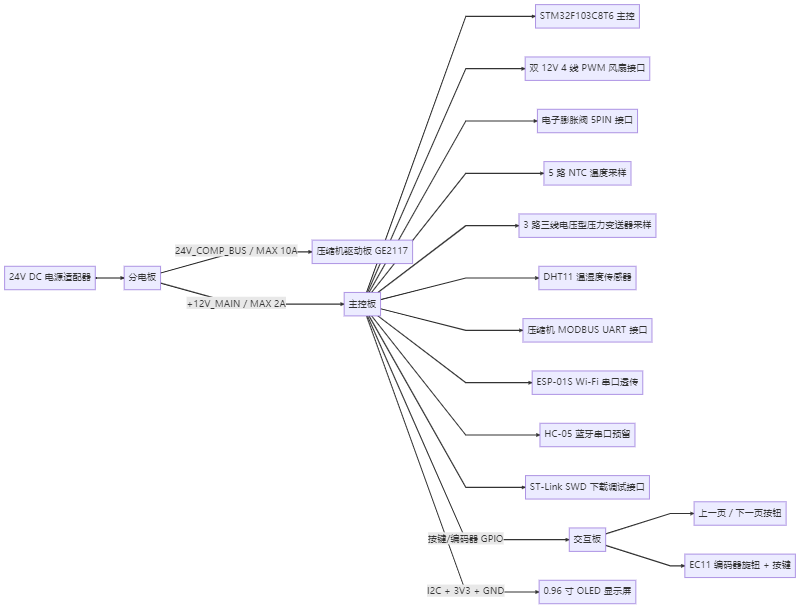
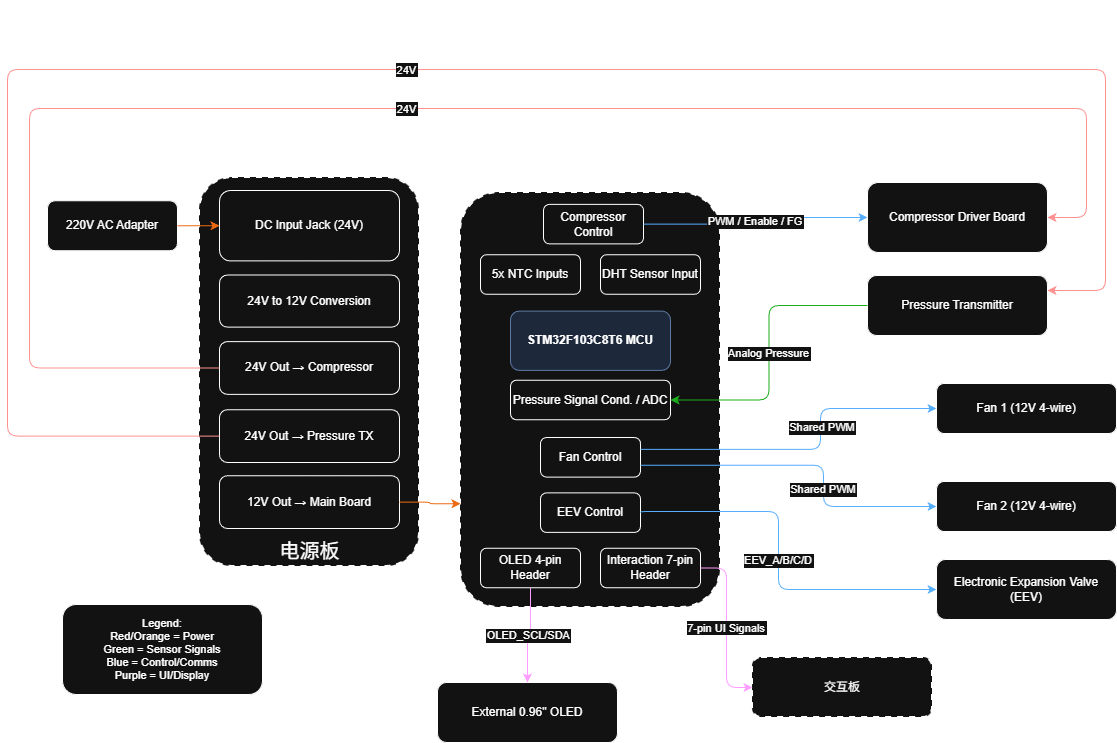
麻烦来自接口之间的互相影响。V2.0 更像把核心链路先收拢,V2.1 开始拆成主控板、分电板、交互板。这个变化很关键:主控负责 MCU 周围的信号,分电板把电源路径单独拿出来,交互板处理 OLED、编码器和按键,后面调试时才有比较清楚的下手位置。
The difficulty came from interaction between interfaces. V2.0 collected the main links first. V2.1 separated them into main, power, and interaction boards. That split gave MCU-side signals, power distribution, and user interaction their own places, which matters a lot once debugging starts.
Board-Splitting Logic拆板思路
I read the requirement as several separate questions:
- How does power enter and branch?
- Which signals cross boards?
- Which interfaces need firmware-side measurement or status reporting?
- Which ports are reserved for later modules?
- Where do high current and noise need distance or special attention?
我当时把需求拆成几个问题看:
- 电源怎么进来、怎么分出去?
- 哪些信号需要跨板?
- 哪些接口后续固件要测量或上报状态?
- 哪些端口只是给之后预留?
- 大电流和噪声路径需要和哪些小信号拉开?
一块板也能画,但风险会集中。大电流、电源分配、用户按键、OLED、传感器输入、调试接口全在一起,后面改一个接口可能牵动一片。拆成主控、分电、交互之后,问题更容易定位:电源归电源,交互归交互,MCU 周围信号也少一点被大电流路径干扰。
A single board would concentrate too many risks. Separating the boards made later reasoning easier: power issues stay closer to the power board, user-facing issues stay closer to the interaction board, and MCU-side signals have less high-current noise around them.
Records Still Missing还要补的记录
The next useful records should explain how the board changed and how it behaved during bring-up:
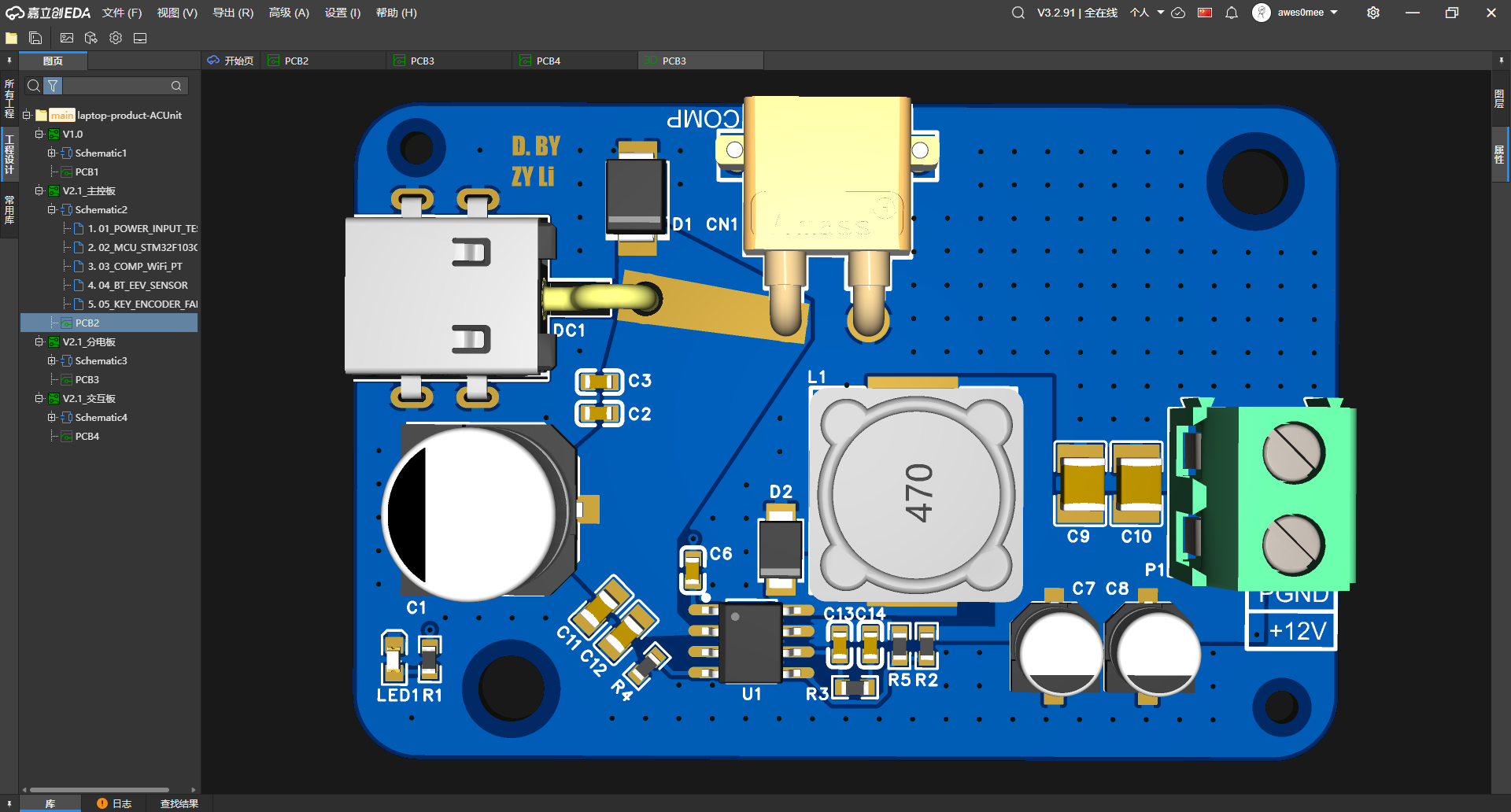
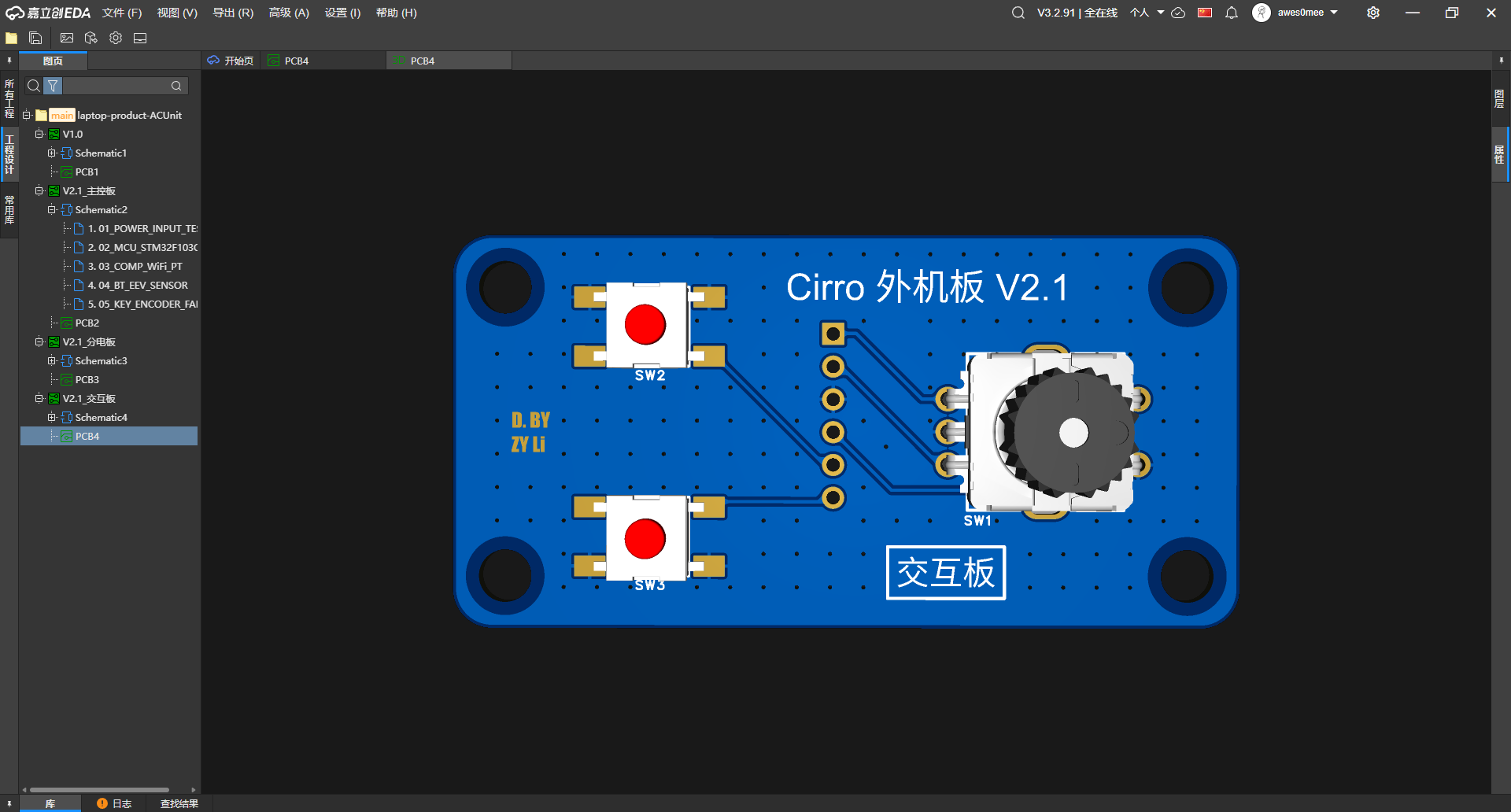
- Organize the V2.0 / V2.1 system diagrams, PCB renders, and three-board split relationship.
- Explain the responsibilities of the main board, power board, and interaction board.
- Write down the interface risks for the compressor, fan, pressure transmitter, and electronic expansion valve.
- Add physical photos, power-on records, and version comparisons later.
后面更该补的是这些记录:
- 把 V2.0 / V2.1 的系统框图、PCB 渲染图和三板拆分关系整理出来。
- 把主控板、分电板、交互板各自承担的职责说清楚。
- 把压缩机、风扇、压力变送器、电子膨胀阀这些接口风险写进笔记。
- 补实物照片、上电记录和版本对比。
Files And Screenshots文件和截图
- V2.0 system block
- V1.0 / V2.0 hardware revision archive
- V2.1 system block
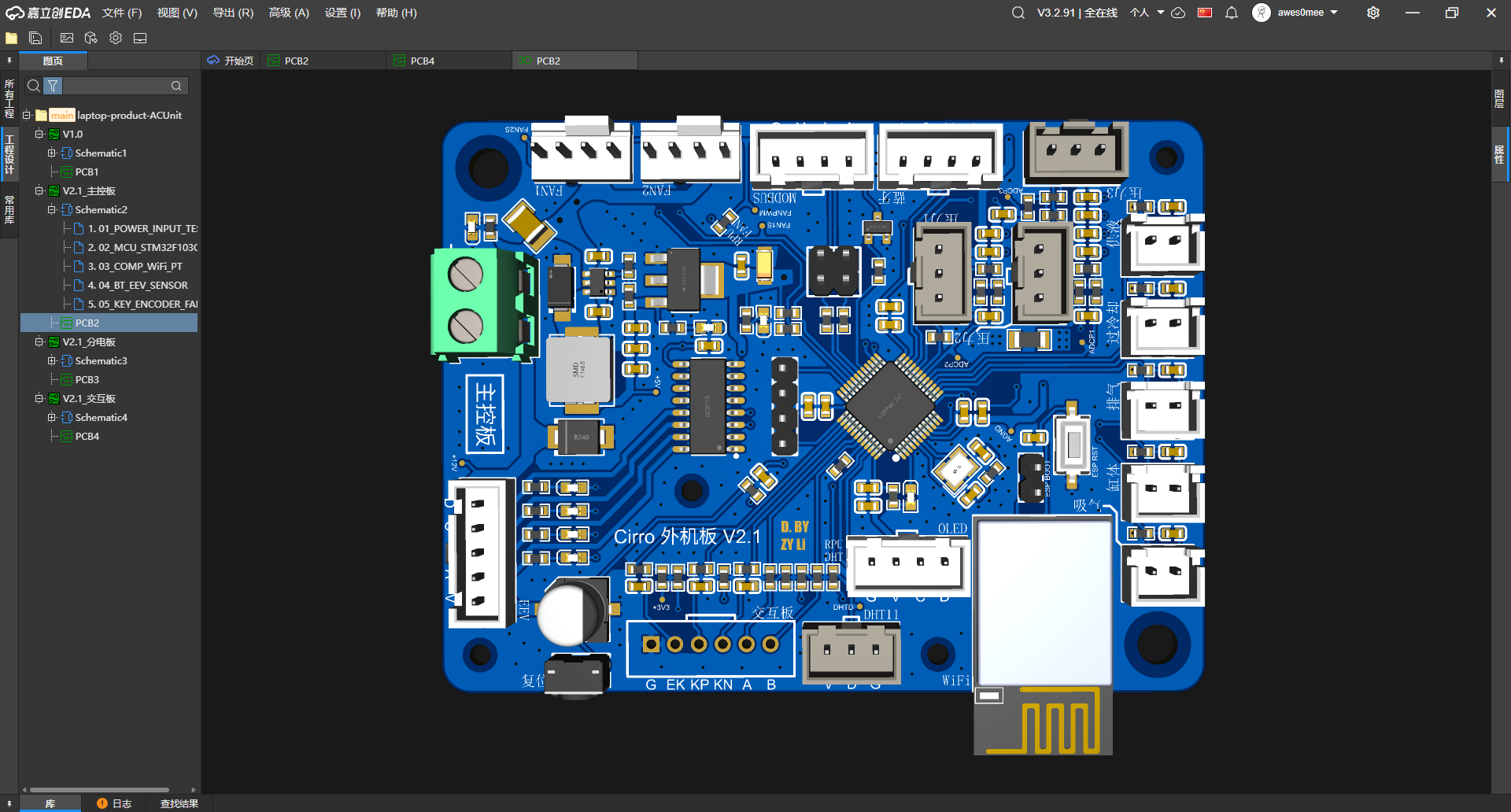
- V2.1 main board front render
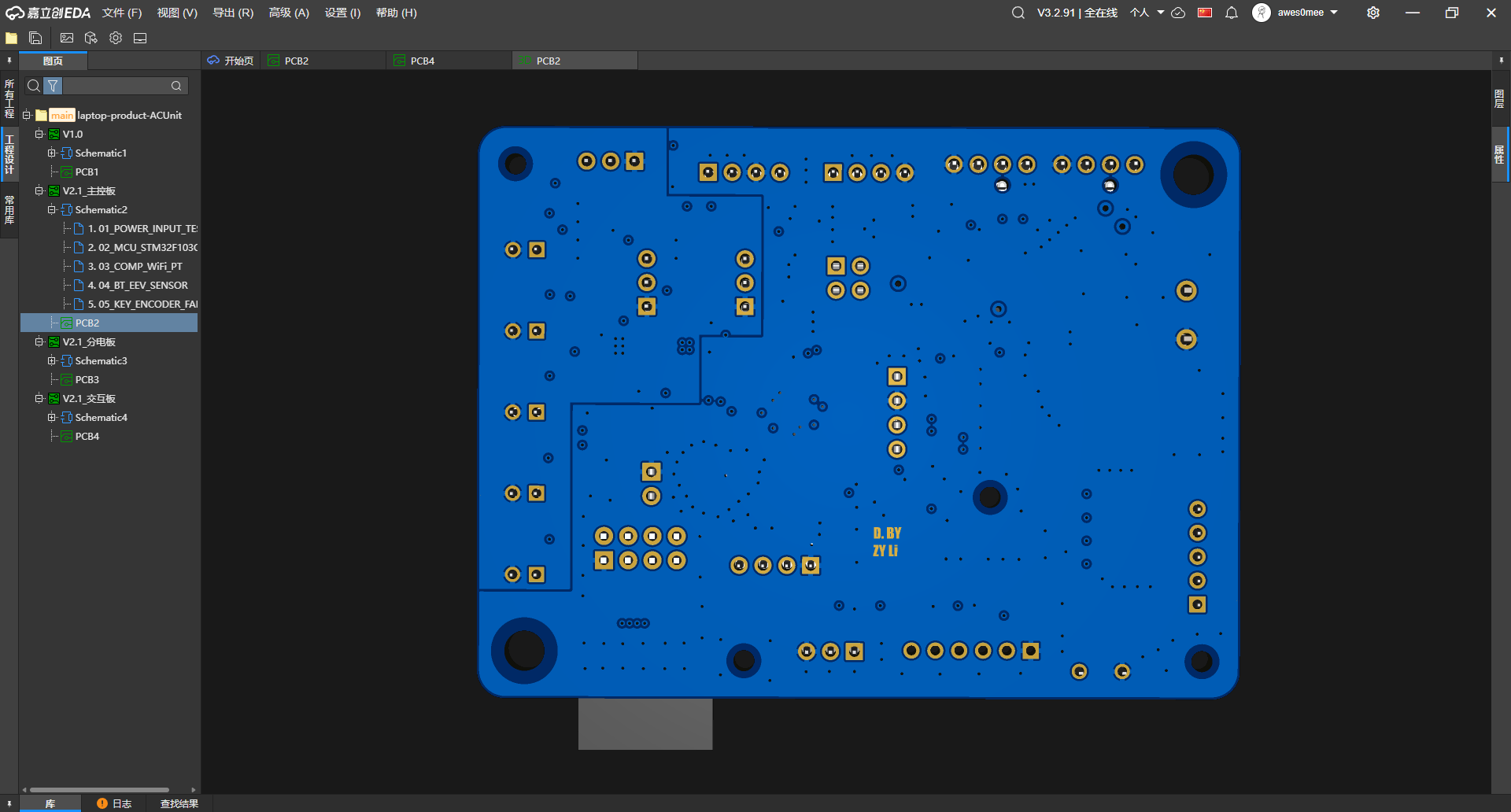
- V2.1 main board back render
- V2.1 power board front render
- V2.1 interaction board front render
Current Reading现在怎么看
Right now this note is strongest at structure: what the board had to connect, why V2.1 became three boards, and which diagrams/renders make that split visible. The next stronger layer is bring-up evidence: power-on checks, interface tests, and revision comparison.
现在这篇笔记最强的是结构:外机板要接什么,为什么 V2.1 拆成三块板,哪些框图和渲染图能把这个拆法看出来。再往下一层,就要靠上电检查、接口测试和版本对比来补。
Looking back, this task taught me to treat connectors as decisions. Every connector says something about power, signal direction, firmware visibility, mechanical placement, and future debugging. The board render only becomes useful when those decisions are written down.
现在回头看,这条线让我更认真地把连接器当成决策。每个接口背后都有电源、信号方向、固件可见性、结构摆放和后续调试。渲染图只有和这些决策放在一起,才真正有用。